Guide
How BadgerMe works.
A reminder mentions your task once and gives up. A Badger doesn't. Here's the whole idea in a few minutes.
What a Badger is
A Badger is a single-minded little agent you put in charge of one commitment. That's its entire existence. It doesn't manage your day or hold a list — it has one thing to badger you about, and it keeps at it until you either do the thing or tell it you did.
You give a Badger a title ("Call the dentist"), pick how hard it should push, and set when it starts. From then on it's on the job.
You don't check on a Badger. A Badger checks on you.
The ladder
Each Badger climbs a ladder made of rungs. A rung is a single step: a delay, and the alert it fires when that time arrives. The ladder always moves in one direction — up — and each rung can be more insistent than the one before it.
- Soft rungs are notifications. Quiet or prominent, but still a notification you can swipe past.
- Breakthrough rungs are alarms. They use Apple's alarm system (AlarmKit), which is why they can sound through Silent and an active Focus — the same way a normal iPhone alarm does.
The heat of the ladder — cool, to warm, to hot — is exactly the escalation you feel. You pick the shape when you create the Badger: Gentle (long and soft), Default (balanced), or Urgent (short and loud), and you can build your own.
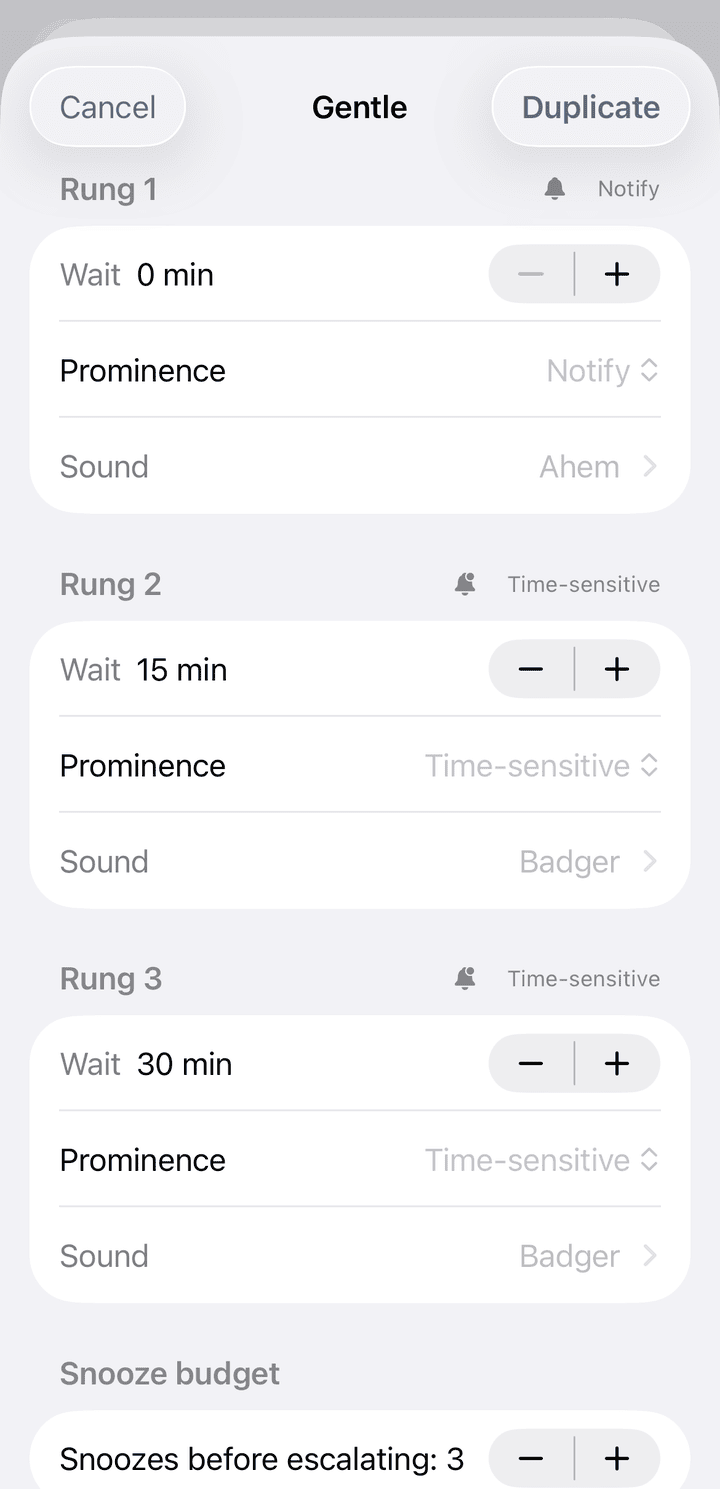
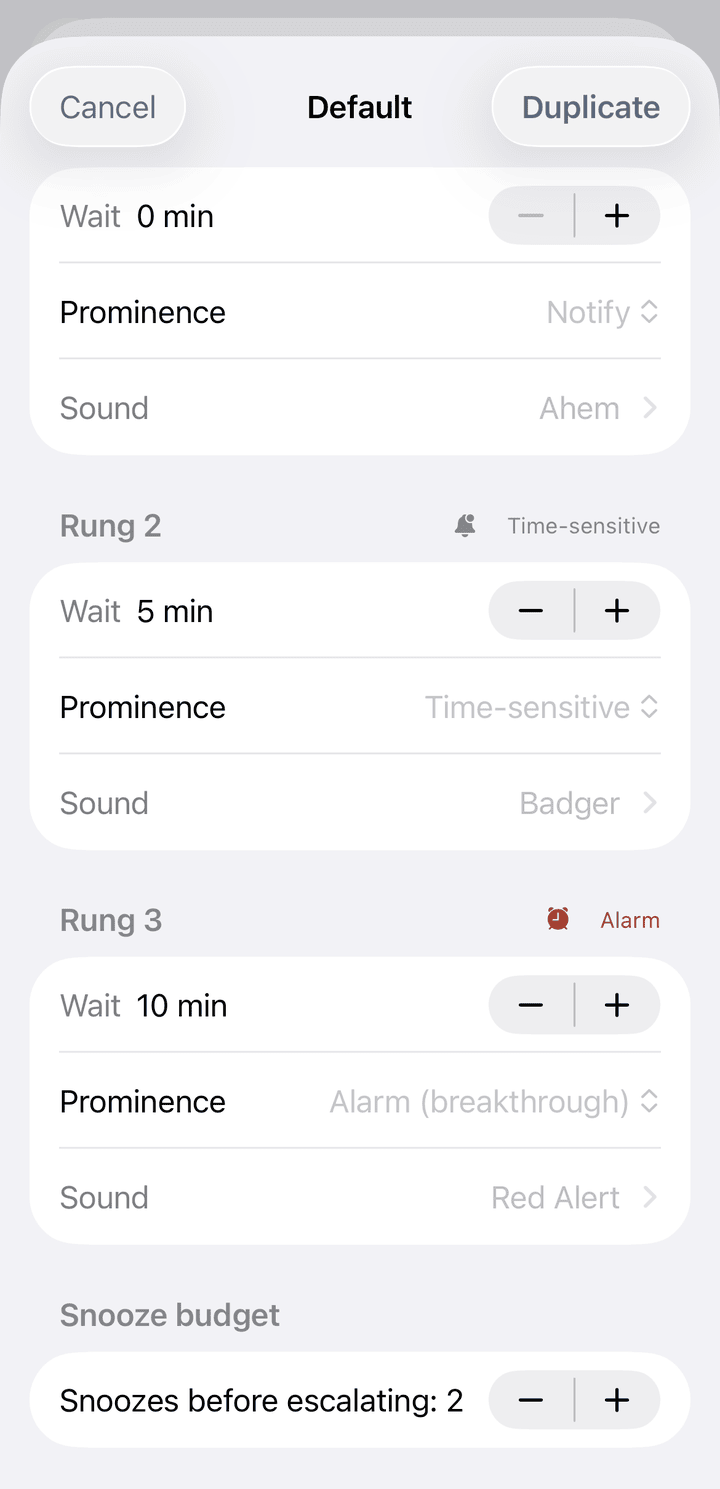
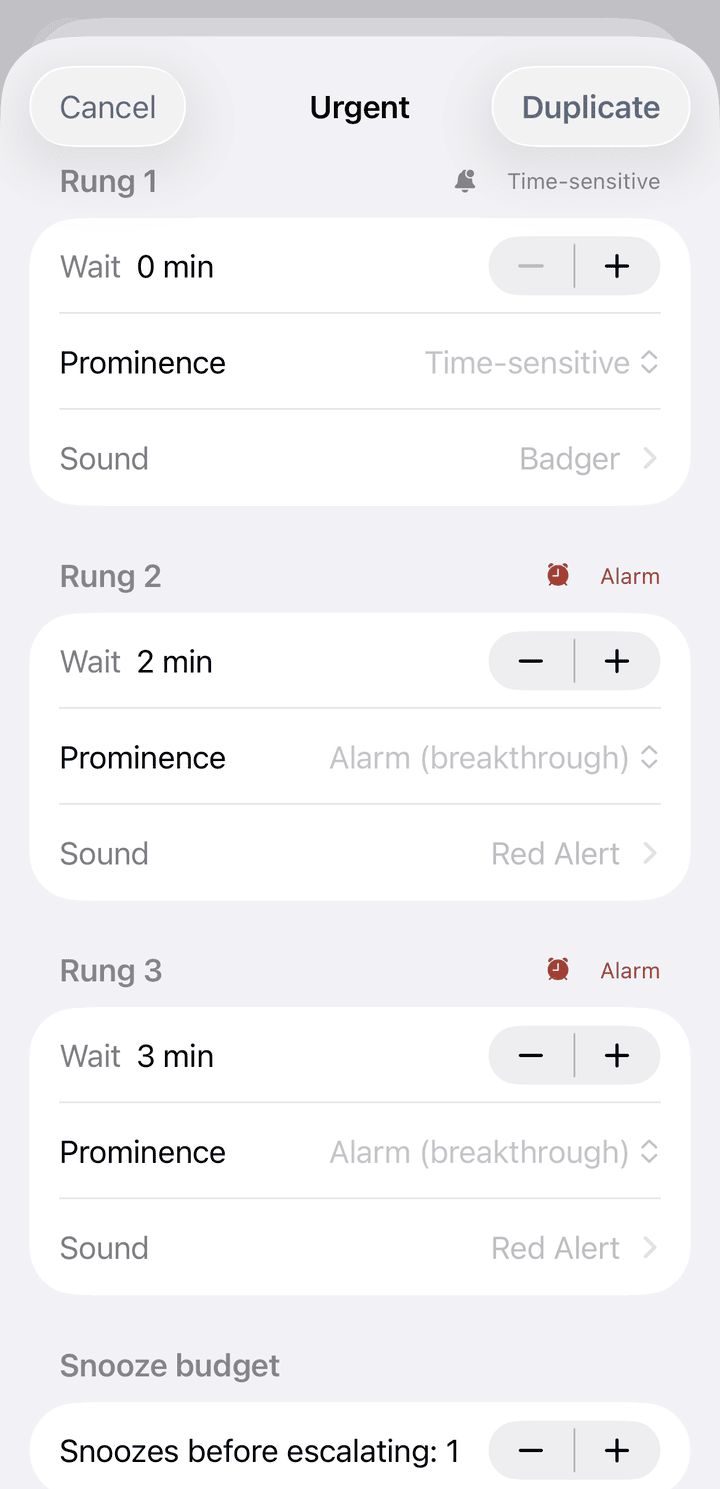
Same three rungs, three different tempers — and the snooze budget tightens as they heat up.
Every rung has a voice
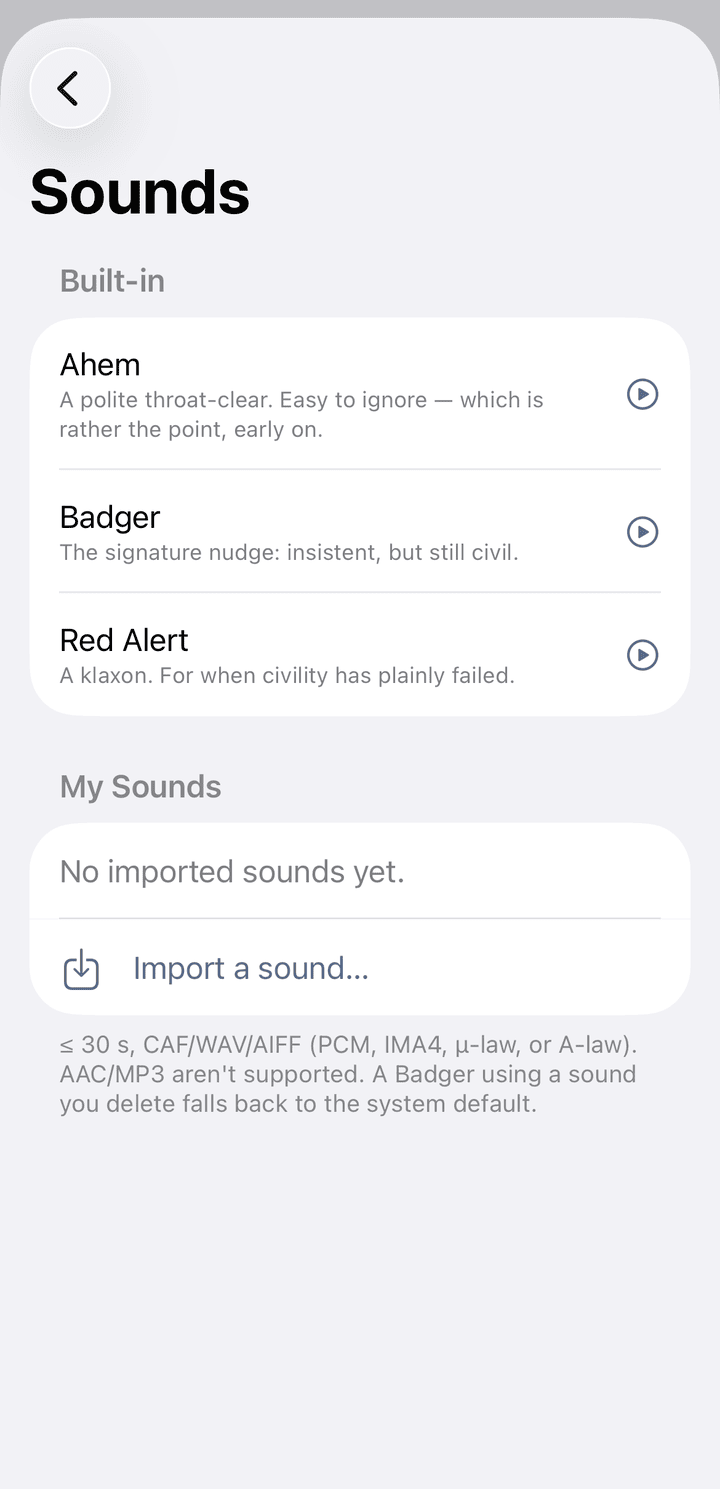
Each rung plays a sound, and the built-in three climb the same ramp the ladder does: Ahem, a polite throat-clear that's easy to ignore early on; Badger, the signature nudge — insistent but still civil; and Red Alert, a klaxon for when civility has plainly failed.
Prefer your own? Import any sound 30 seconds or shorter in a CAF, WAV, or AIFF container (Linear PCM, IMA4, µ-law, or A-law). If you ever delete a sound a Badger was using, it quietly falls back to the system default.
Done is not the same as Dismiss
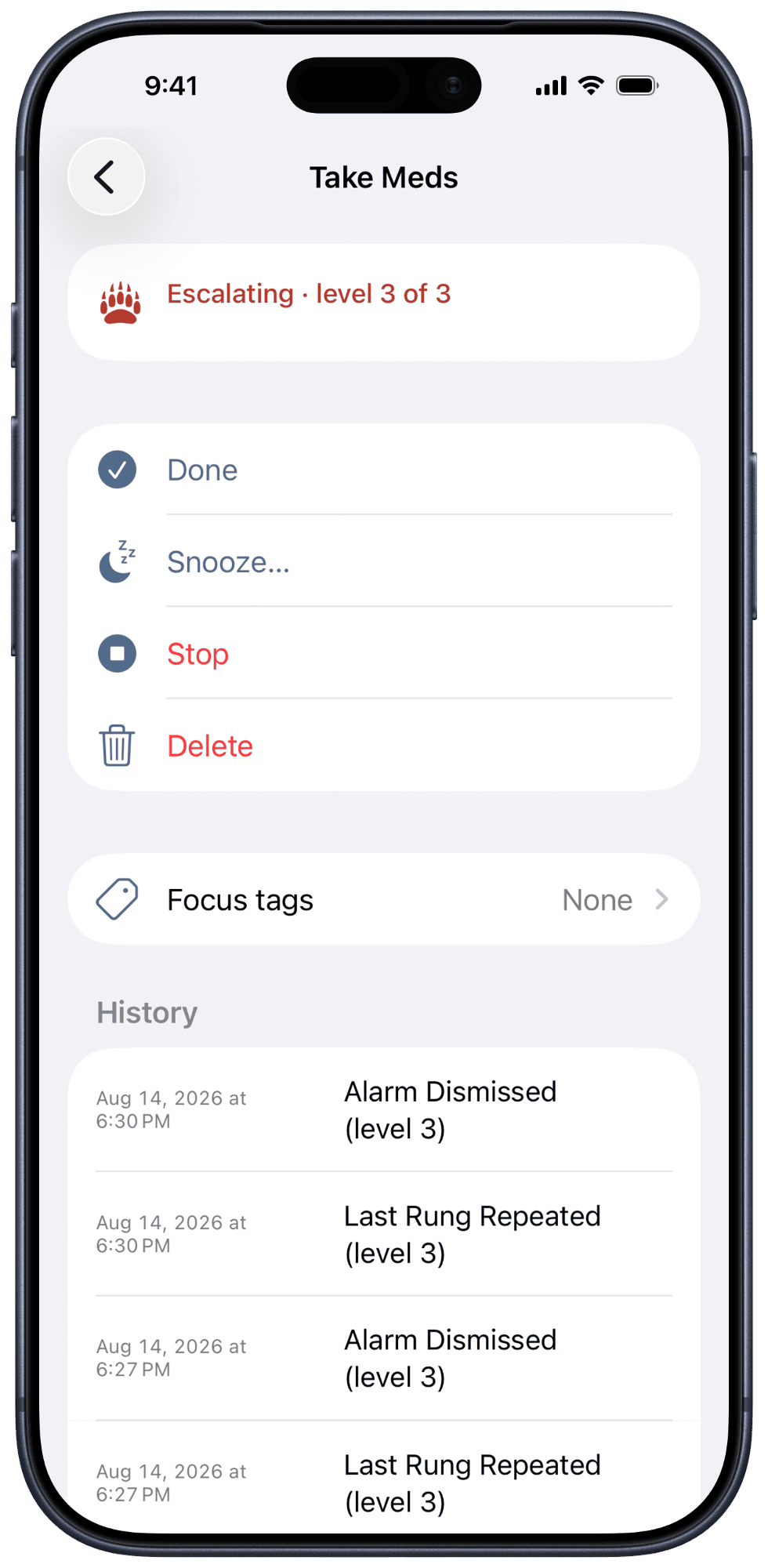
This is the one rule worth internalising. When an alert goes off, silencing it — tapping Stop — quiets that one alert. It does not end the Badger. The ladder keeps climbing on schedule.
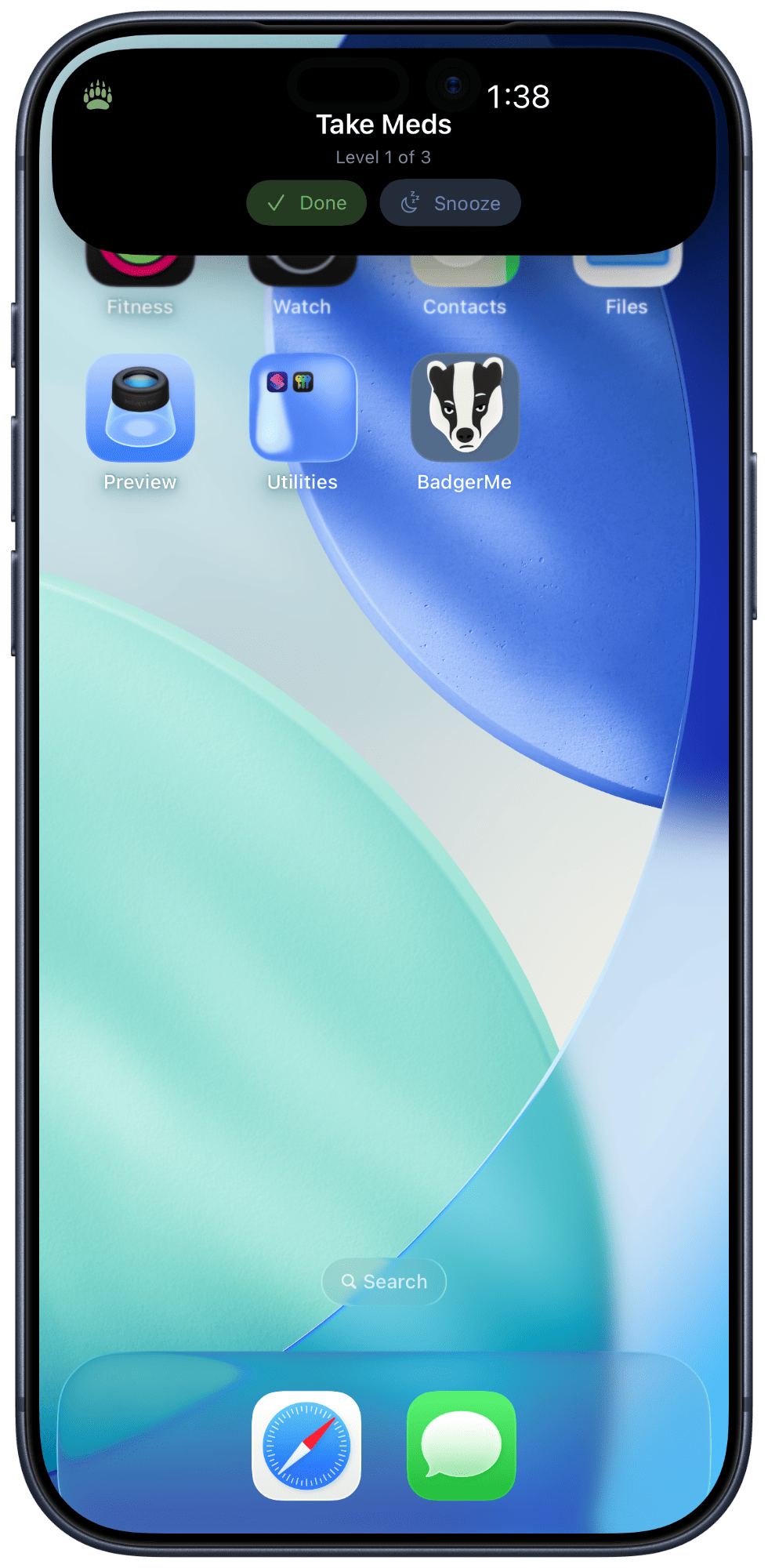
A Badger is only satisfied when you mark it Done. Done resolves the whole thing and cancels everything still queued. You can mark a Badger done straight from the alarm, from a notification, from the Lock Screen, or by asking Siri.
Dismissing a badger is not the same as convincing it.
Snooze — and snooze escalation
You can snooze a Badger when now genuinely isn't the moment. It'll go quiet and come back at the time you set, right where it left off.
But keep snoozing the same Badger and it takes the hint. After a few snoozes at one level, it climbs a rung on its own — the next time it comes back, it comes back louder. You set how many snoozes it tolerates before it does this.
It notices you're avoiding it.
The top rung just repeats
When a Badger reaches the top of its ladder and you still haven't done the thing, it doesn't fall silent and it doesn't declare defeat. The top rung simply repeats, on its own interval, until you resolve it. There is deliberately no "exhausted" state — a Badger that ran out of patience would just be a reminder again.
Permissions, and why they matter
BadgerMe asks for two things, and it's honest about why:
- Notifications power the soft rungs — the everyday reminders.
- Alarms power the breakthrough rungs. Because these ride on Apple's alarm system, they can reach you through Silent and Focus. Deny this and BadgerMe still runs, but it falls back to notifications only — useful, and much easier to ignore.
You can also use a Focus filter to cap how hard BadgerMe is allowed to push during a given Focus — for example, no breakthrough alarms during Sleep. Nothing is collected in exchange for any of this; permissions let the app reach you, not watch you.
Getting started
- Create a Badger and give it a plain, specific title.
- Pick a ladder — start with Default if you're not sure.
- Set when it should start badgering you.
- Grant notifications and alarms so it can actually do its job.
You can drive all of it hands-free, too: create, snooze, and mark done through Siri, Shortcuts, the widget, and Control Center.
Stuck on something specific? The Support page has troubleshooting and a way to reach me.